Kakobuy QC Photo Finder and Inspection Guide
Published · Reviewed by the Kakobuy Links editorial team
Kakobuy QC means reviewing warehouse photos of the actual item received before international shipping. Match the item to your order, inspect visible details, request any missing view and decide whether to keep, exchange or return it while the account option is still available.
Kakobuy QC at a glance
| QC question | Evidence to use | Action if unclear |
|---|---|---|
| Is it the correct item? | Order record, selected option and all warehouse photos | Do not approve until the mismatch is resolved |
| Will the size work? | Measurement photo plus seller size chart | Request the missing chest, length, waist or insole measurement |
| Is the visible condition acceptable? | Close views of seams, print, surface, hardware and edges | Request a close-up, then compare the available options |
| Is it ready to ship? | Completed checklist and current account status | Resolve open questions before parcel submission |
10-point Kakobuy QC checklist
Tick each item only after the evidence is visible for your exact warehouse item. This tool saves progress in the browser and does not send information to Kakobuy.
Start with the order and warehouse photo set for your exact item.
What does Kakobuy QC mean?
Kakobuy QC is the pre-shipping review of warehouse photos for the unit received against your order record and the seller listing. QC commonly means quality control, but these images are visual evidence rather than a laboratory test, an authentication service or a guarantee that every hidden detail is correct.
The useful question is not whether a listing looked good before purchase. It is whether the photographed item matches the selected model, color, size and quantity, and whether any visible issue changes your decision. Treat the photos as a checkpoint before paying for international shipping.
How to find Kakobuy QC photos
Sign in to the Kakobuy account used for the purchase and open the order or warehouse section. Select the exact item record and look for the warehouse photo set after the item has been received and processed. Seller images, spreadsheet thumbnails and social-media posts are references only; they are not QC photos of your unit.
Keep the order page, selected option and photo set open together. If the photos have not appeared, first confirm the warehouse status. If one required angle is absent, request that exact view rather than asking for a general check. A precise request such as “show the inside size label” or “measure the insole from heel to toe” is easier to verify.
Match the item, option and measurements
Start with identity checks: product type, color, version, size label, quantity and included pieces. Compare the current seller page with the option recorded in your order because one listing can contain several versions under the same preview image. A close lookalike is still the wrong item when the selected option does not match.
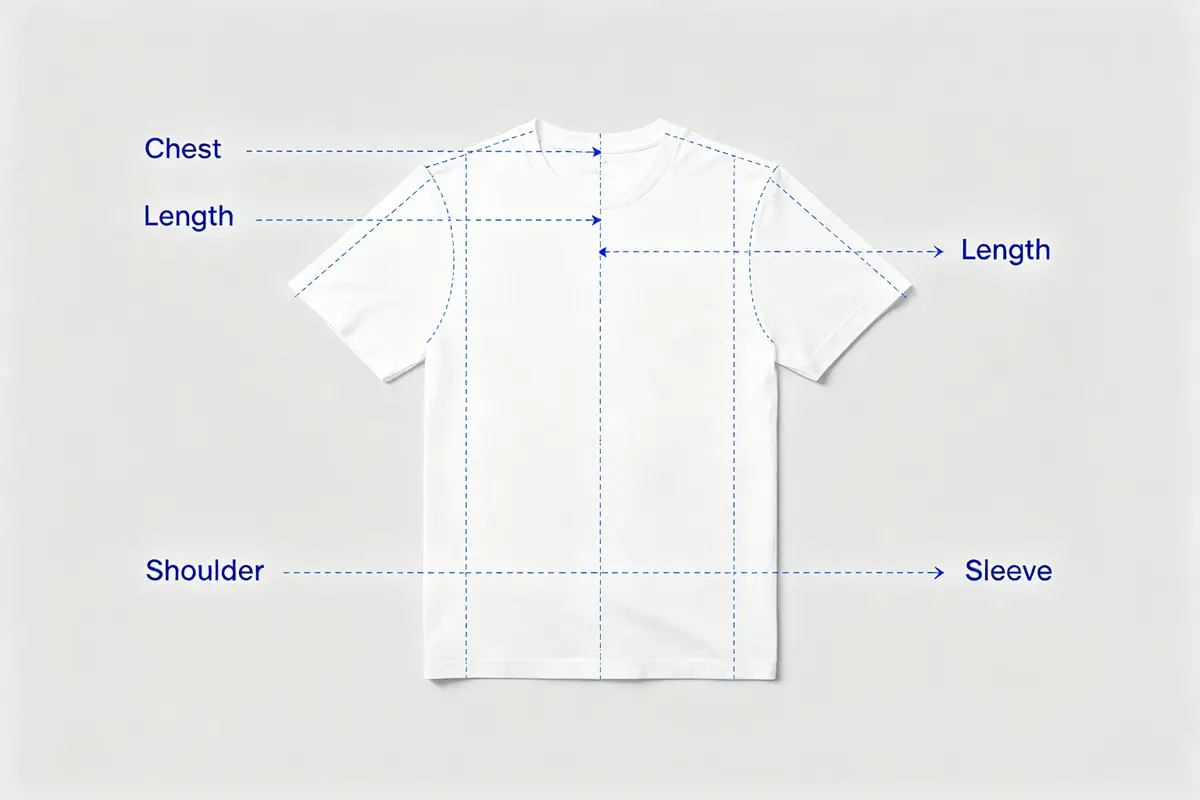
For clothing, compare measured chest, body length, shoulder and sleeve with a garment that already fits you. For trousers, prioritize waist, rise, inseam and leg opening. Marketplace size labels can vary, so measured dimensions are stronger fit evidence than S, M or L by itself.
Clothing QC: seams, print and labels
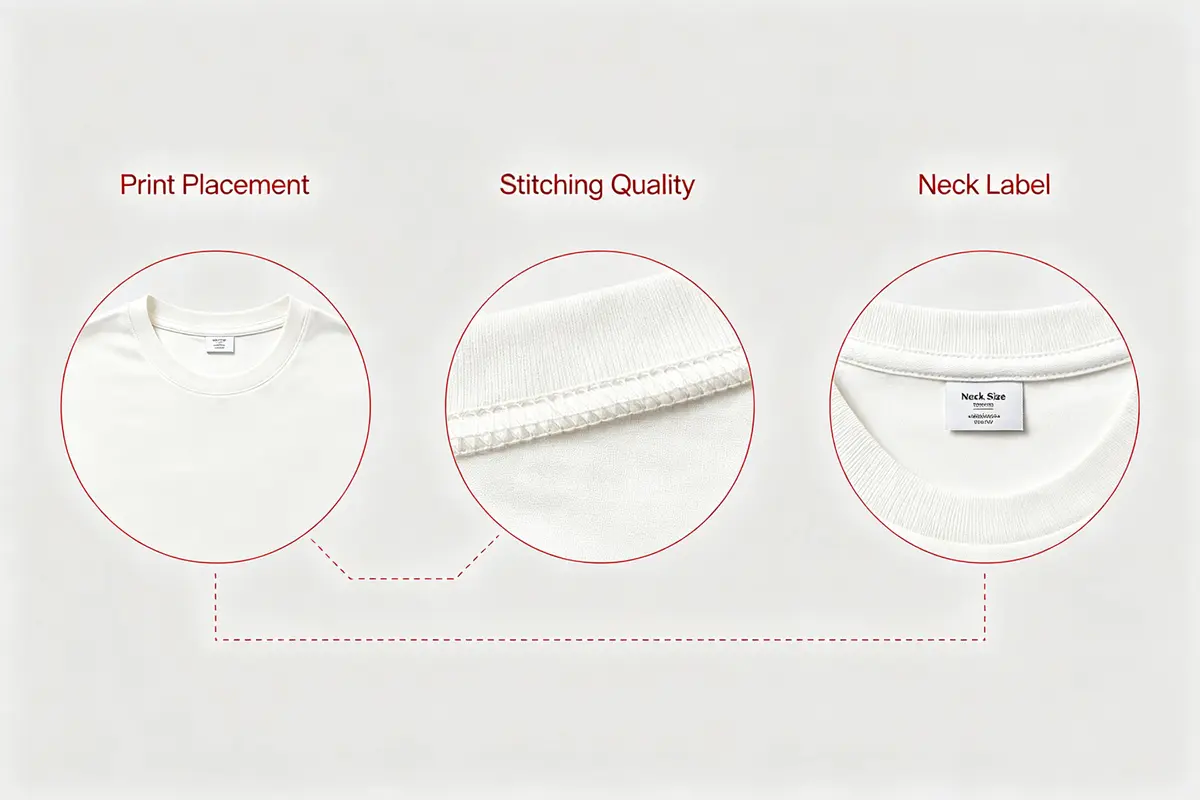
Inspect the front and back shape before zooming into details. Check whether side seams twist, hems look uneven, the collar sits symmetrically and paired features line up. Then review print placement, embroidery edges, loose threads, stains, holes and obvious fabric pulls.
A label photo can confirm the printed size or care information, but it cannot prove fit or material composition by itself. If a print, patch or pocket is central to the purchase decision, request a straight, well-lit close-up while the item can still be reviewed.
Shoe, bag and accessory QC checks
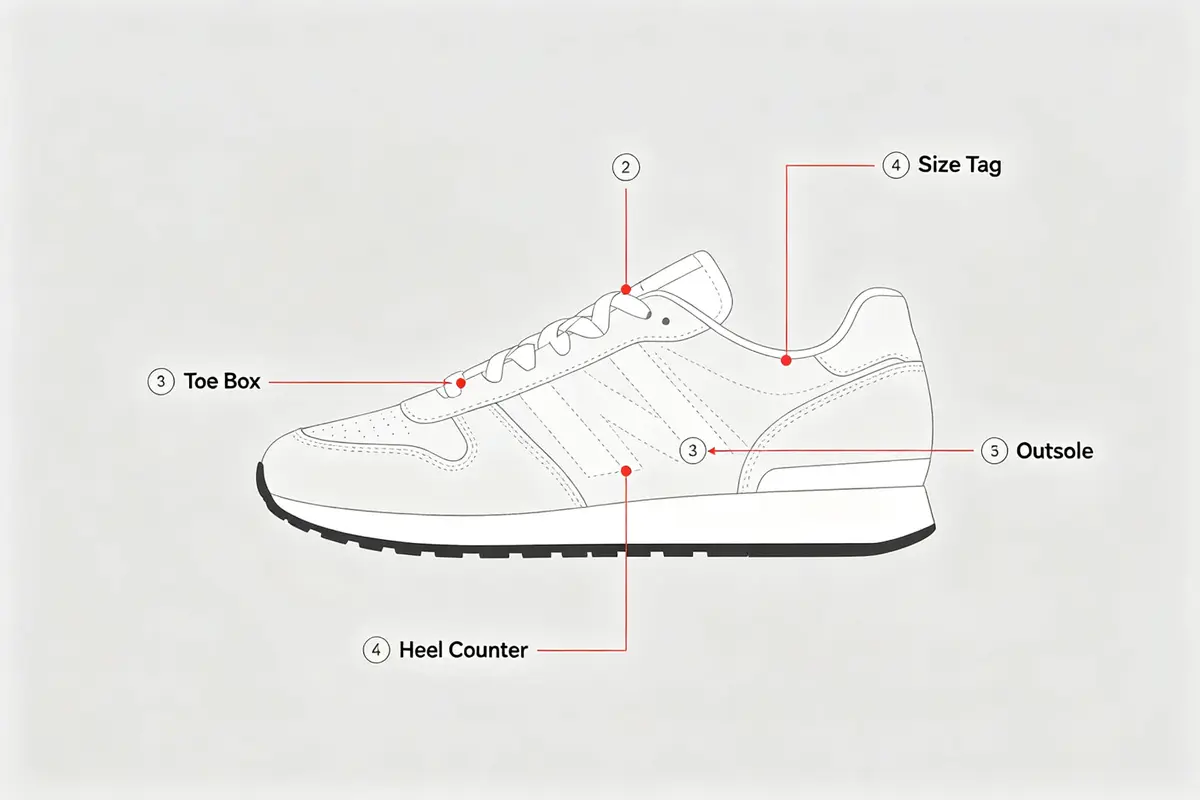
For shoes, compare both sides of both shoes, toe shape, heel height, outsole, stitching, size tag and insole length. Look for visible glue marks, dents, strong asymmetry or a size mismatch. Ask for the outsole or insole view if the wear surface and sizing evidence are not shown.
For bags, inspect handles, strap attachment points, zips, clasps, edge paint, lining and dimensions. For accessories, confirm the item count, finish, fasteners and included parts. Warehouse lighting can shift color, so request a neutral-light photo only when a color difference would affect the decision.
When to request an extra QC photo
Request another image when a missing angle or measurement could change the keep-or-return decision. Good requests identify one area, one angle and one purpose: “photograph the back print straight on,” “show the zipper teeth at close range” or “measure the chest pit to pit with the garment flat.”
An extra photo is less useful when it repeats a clear existing view. It also cannot test smell, long-term durability, exact material chemistry or internal construction. Separate what the camera can verify from what remains uncertain.
Keep, clarify, exchange or return before shipping
Keep the item when the variant matches and the visible condition is acceptable. Ask for clarification when evidence is incomplete. Consider an exchange or return when the option is wrong, a decision-critical measurement fails or visible damage exceeds what you accept.
Use the current buttons, deadlines, fees and seller terms shown in the signed-in account; these can change by order. Resolve the issue before parcel submission whenever possible. Save the order record, warehouse photos and support messages until delivery.
This independent Kakobuy QC guide organizes a visual review. It is not Kakobuy customer support and does not promise authenticity, product quality or a particular refund outcome.
Frequently asked questions
What is Kakobuy QC?
Kakobuy QC is the process of reviewing warehouse photos of the item received before international shipping. Compare the actual unit with the order and seller listing.
Where can I find my Kakobuy QC photos?
Sign in to the purchasing account, open the relevant order or warehouse item and view its photo set after warehouse processing. The exact interface can change, so follow the status shown in the account.
How many Kakobuy QC photos should there be?
There is no universal number that proves a review is complete. You need enough clear views to verify the selected option, visible condition and any decision-critical measurement.
Can Kakobuy QC photos prove authenticity?
No. Photos can show visible characteristics of the received item, but they are not a complete authentication test and cannot verify hidden construction or long-term durability.
When should I request another QC photo?
Request one when a missing angle, label, close-up or measurement could change whether you keep, exchange or return the item. Name the exact detail needed.
Should I approve the parcel if one detail is unclear?
Resolve a decision-critical uncertainty first. Check the current account options and deadlines before parcel submission because later corrections may be harder.
Is this an official Kakobuy page?
No. Kakobuy Links is an independent research directory. Account status, fees, deadlines and support outcomes must be confirmed on the official Kakobuy website.